
Grant-funded numbers: we check your eligibility free and quote in the grant’s format. How it works
Tier 1 · Dashboard

See your whole business on one live screen.

Your business on one live screen, with a simple list of who has enquired. Just the numbers and where the work comes from.

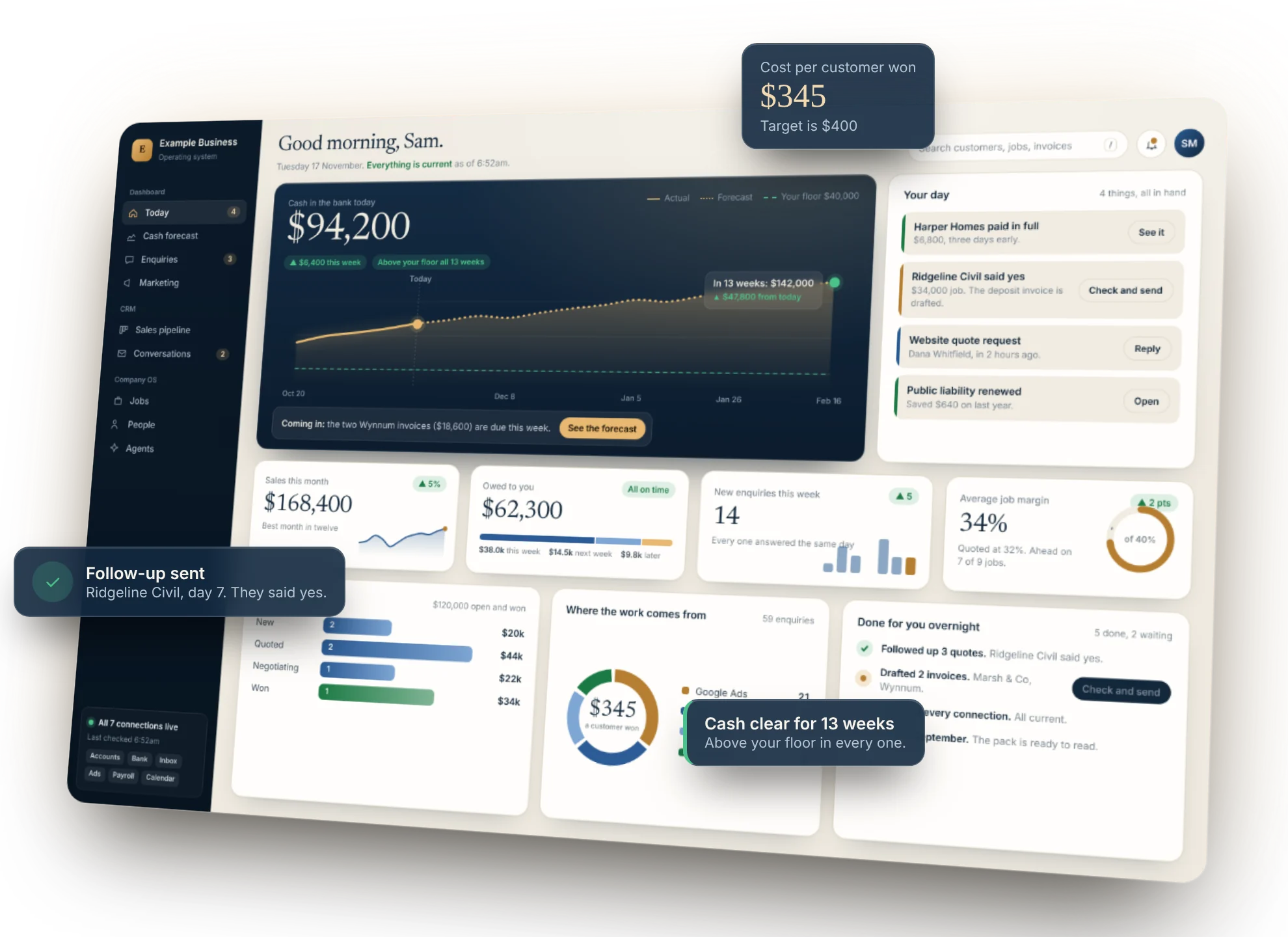
An example dashboard seen at an angle: cash in the bank with a 13-week forecast, sales, money owed and new enquiries, all with example figures
Try the dashboard

The six screens you get.

Everything shown here comes with this tier. The CRM is not part of the Dashboard: it comes with Tier 2, and you can move up at any time for the difference. Pick any screen to stop and look. Every figure is an example.

yourbusiness.wickhamadvisory.com.auLive
DashboardEvery tier
OverviewExample Business · example figures
Sales this month$168,400Up 5% on last month
Owed to you$62,300Every invoice inside its terms
New enquiries14Up 5 on last week, all answered
Cost per customer won$345Under your $400 target
Cash in the bank today$94,200
Up $6,400 this weekAbove your floor all 13 weeks
Your floor $40,000Week 13: $142,000W1W4W7W10W13
Your dayAll in hand
  • CashThirteen weeks ahead and clear of your floor all the way.
  • PaidHarper Homes, $6,800, in three days early.
  • EnquiryWebsite quote request from Dana Whitfield, in this morning.
  • RenewalPublic liability renewed, $640 under last year.
  • AdsGoogle is at $86 a lead against your $120 target.
Sales, last six monthsBest month in twelve
Jun
Jul
Aug
Sep
Oct
Nov
Where enquiries came fromThis month
Google Ads21
Website, search17
Meta ads12
Referrals9
Owed to youEvery invoice inside its terms
Not yet due$48,100
Due this week$9,400
Due next week$4,800
01 of 06Every tier
The morning, on one screen.

Cash, sales, what you are owed and who is waiting on you, current to the hour. One look replaces five logins and a spreadsheet.

Want to see this with your business in it? Send an enquiry and we will reply with what it includes and what it costs. By email, or a call if you prefer.

Enquire now
What you get

Everything in the Dashboard, in plain words.

  • One screen for the numbers that matterCash, sales and enquiries sit side by side and stay current, so you stop opening five apps to see how the week is going.
  • Know where the work comes fromSee which enquiries came from your website, your ads and your referrals, so you know what is worth paying for.
  • A simple list of who has enquiredEvery lead with where it came from and where it is up to, in one list instead of your inbox and your memory.
  • Bills and suppliers in one viewWhat you owe and to whom is gathered in one place, so nothing due this week is a surprise.
  • Enquiries land in the right placeEmails and form enquiries are funnelled to where they belong, so a new lead is not buried under everything else.
  • Your books stay your booksThe dashboard reads from Xero, MYOB or QuickBooks through a read-only feed. It can see the numbers and never change them.
Connections, inputs and capabilities

What the Dashboard connects, takes in and does.

We sort out the connections for you. You feed in the few things only your business knows.

  1. 1 · Connect

    What we connect for you

    • Your accounting file (Xero, MYOB or QuickBooks, read-only) and the bank feeds behind it
    • Your website enquiry forms
    • The inbox you choose to forward
    • Google Ads and Meta ads
    • Your website traffic
    • Your online store or point of sale, where it offers a connection
  2. 2 · Feed in

    What you can feed in

    • Supplier bills and quotes, forwarded or uploaded
    • Enquiries that arrive by email or phone
    • A simple monthly export where an app has no connection
    • Your cash floor and your targets
  3. 3 · Do

    What you can do with it

    • See cash, sales and enquiries live on one screen
    • See where every lead came from and what your ads bring in
    • A 13-week cash forecast and a monthly pack that refresh themselves
    • A cash alert before the low point
    • A basic contact and lead list: who enquired, from where, and where it is up to
    • One list of what needs you this week
How it goes live

Four steps, and your business stays running the whole time.

  1. 1Discovery

    A short call and a questionnaire: how you win work, deliver it, invoice and pay, and what systems you already run. Nothing is typed twice later because we map it once here.

  2. 2Connect

    We connect what you have, read-only, and never touch your logins: Xero or MYOB, your inbox and forms, your ad accounts. Your accounting system stays your ledger.

  3. 3Go live

    The dashboard, and the CRM and jobs on the higher tiers, turned on in order, with your real data, run two weeks beside your current way of working before you rely on it.

  4. 4Run it

    Agents do the chasing: quotes followed up, invoices drafted, overdue accounts nudged, the month closed. You get a short daily summary and press the buttons that commit.

More on the method, the checks and what you keep is on the how it works page.

Where it sits

One system, three sizes.

You can move up at any time and the setup you have paid for carries over.

This page
Tier 1
Start simple

Dashboard

Your business on one live screen, with a simple list of who has enquired. Just the numbers and where the work comes from.

$2,500 setup, then $99 a month + GST
Live in about 2 weeks
  • Cash, sales and enquiries on one live dashboard
  • The monthly pack and a 13-week cash forecast, refreshed for you
  • Where your leads come from: website traffic, ads, referrals
  • A basic contact and lead list: who enquired, from where, and where it is up to
  • Supplier and bill inputs gathered in one view
Tier 2
Most businesses

Dashboard + CRM

The dashboard, plus a full CRM that runs your sales and chases the work, so your numbers and your pipeline live together.

$5,500 setup, then $129 a month + GST
Live in about 4 weeks
  • Everything in the Dashboard
  • The full CRM: a pipeline board, tasks and every contact's history
  • Two-way text and email in one inbox
  • Online booking, straight into your calendar
  • Review requests sent after each job
  • Follow-ups that send themselves on day 7, 14 and 30, set up for you
  • Quotes and proposals tracked through to the job
Tier 3
The whole operation

Complete System

Every part of the business on one system: sales, jobs, invoicing, cash, people, safety, hiring and your ads, with the CRM fully automated and agents doing the chasing.

$9,550 setup, then $400 a month + GST
Live in about 6 weeks
  • Everything in Dashboard + CRM
  • The CRM fully automated: nurture sequences, funnels, missed-call text-back, AI chat and voice answering
  • Jobs and projects, all under one job number
  • The margin on every job, at each invoice
  • Invoices drafted for you from the job, ready to check and send
  • People, HR and onboarding, start to finish
  • Hours logged against each job and activity, from site or the office
  • Safety on the same system: incidents, near misses and hazards reported from a phone, with any time lost recorded against the job
  • Site reports, pre-starts and toolbox talks, kept with the job
  • Fixed setup feeAgreed in writing before any work starts.
  • No lock-inStop the monthly at the end of any month.
  • Built on what you runXero, MYOB, your inbox, your ad accounts.
  • Yours to keepYour data, and your books stay your ledger.

The full comparison, with and without GST, is on the pricing page.

Questions

Before you book the call.

What can you connect?

Your accounting file (Xero, MYOB or QuickBooks) and the bank feeds behind it, your website enquiry forms and the inbox you choose to forward, your online store or point of sale where it offers a connection, and your Google Ads and Meta ads accounts. Where an app has no connection, we agree a simple monthly export instead.

Do we have to change our software?

No. The dashboard reads from the tools you already have. The accounting feed is read-only: it can see the numbers but never change them, and nothing is ever written back to your books. On the tiers with the CRM, the CRM is a licensed platform we provide under the Wickham name, included in your monthly; texts, calls and per-use automation features are extras, charged at cost. We take nothing from any other vendor.

What does the monthly fee cover?

Keeping it running: every connection watched and fixed when an app or a login changes, a system check each month, the monthly pack and 13-week cash forecast refreshed automatically, and the cash alert watched against your floor. Review calls are extra and agreed before they are booked.

What is the difference between the three tiers?

The Dashboard shows your cash, sales, enquiries and where leads come from on one live screen, with a basic contact and lead list. The Dashboard with the CRM adds a full CRM: a pipeline board, two-way text and email, online booking and follow-ups that send themselves. The Complete System adds jobs, people, HR, hiring, payroll and time connections, the CRM fully automated, and your ads created and run for you. You can move up at any time and the setup you have paid for carries over.